Description
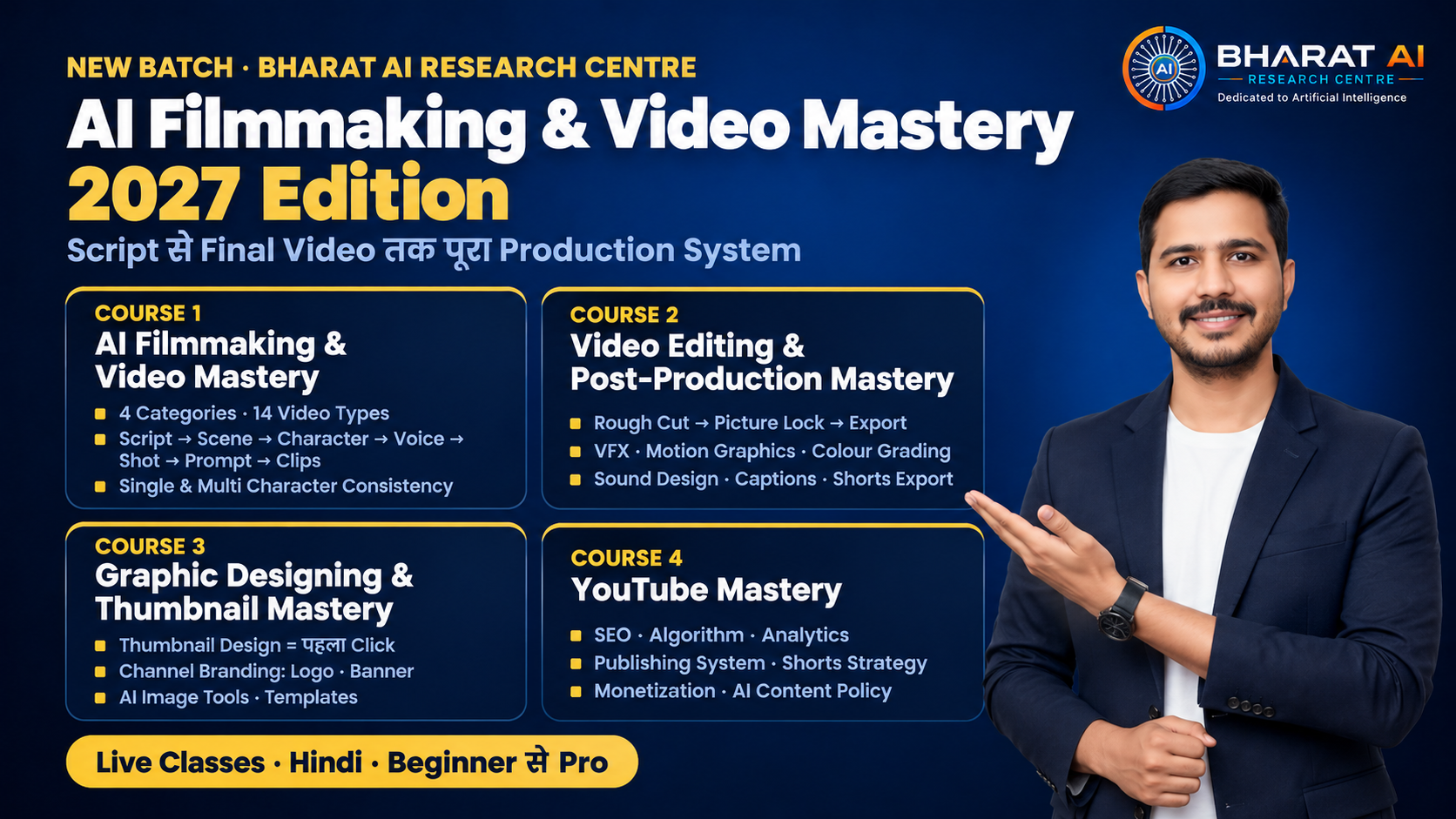
AI Filmmaking & Video Mastery — 2027 Edition
Bharat AI Research Centre · Aman Sir
यह Batch क्या है
यह किसी एक AI tool का course नहीं है। यह एक complete AI Video Production System है, जिसमें niche चुनने से लेकर video publish होने तक का हर step सिखाया जाता है। एक film के पीछे जो पूरी team होती है (Writer, Director, Designer, Sound, Editor, Channel Manager), AI के ज़माने में वो सब roles आप खुद निभाना सीखेंगे।
Batch में 4 Courses हैं:
- AI Filmmaking & Video Mastery
- Video Editing & Post-Production Mastery
- Graphic Designing & Thumbnail Mastery
- YouTube Mastery
Student Journey: Niche → Video Type → Topic → Course 1 (AI Clips) → Course 2 (Final Video) → Course 3 (Packaging) → Course 4 (Publish & Grow)
सबसे पहले: Video Types की समझ
ज़्यादातर लोग niche और topic decide करके सीधे tool खोल लेते हैं, और Video Type तय ही नहीं करते। इसी से हर video अलग दिखती है और channel की पहचान नहीं बनती। इसलिए यह course सबसे पहले सिखाता है कि YouTube की हर AI video सिर्फ 4 Categories और 14 Video Types में आती है।
दो Rules जो हर जगह लागू होते हैं:
- Rule 1: Category "कैसे बनी" (Production Style) से तय होती है, "किस Topic पर बनी" से नहीं। Finance, Kids, Devotional, History ये niche हैं, category नहीं।
- Rule 2 (Dominant Visual Rule): Screen पर 50% से ज़्यादा time जो दिखे, वही category।
Category 1: Animated Videos
Screen पर जो दिखे वह drawn या rendered है, real दिखने की कोशिश नहीं।
- 2D Animation — Flat drawings in motion (Cartoon, Anime, Motion Graphics इसी के styles हैं) · Single & Multi Character
- 3D Animation — Modelled characters with depth, light and shadow · Single & Multi Character
- Whiteboard Animation — White board पर hand drawing + voiceover · Mostly Single / No Character
Category 2: Cinematic Films & Commercials
Real film जैसा realistic footage, पूरा AI या Camera + AI। Types "purpose" से तय होते हैं।
- Short Film — पूरी story: beginning, middle, end · Multi Character
- Web Series — Episodes में बंटी story, वही characters बार-बार · Multi Character
- Trailer & Teaser — आने वाली चीज़ की झलक, curiosity · Multi Character
- Commercial / Ad Film — Product, service या brand बेचना; सबसे बड़ा earning type · No Character / Single
- Music Video — गाना backbone, visuals lyrics और mood के साथ · Single Character
Category 3: AI Avatar & Presenter Videos
एक इंसान (real, AI avatar या AI clone) camera से सीधे audience से बात करता है।
- News & Update Presenter — Anchor style, daily updates · Single
- Educational Presenter — Teacher या expert topic समझाता है · Single
- Vlog & Personal Brand — अपनी राय, experience, personal brand · Single
- Interview & Podcast — 2+ लोगों की बातचीत · Multi
Category 4: Faceless Narration & Documentary Videos
कोई face नहीं, voice के साथ बदलते visuals (B-roll, AI images, stock, archival)। YouTube का सबसे बड़ा और आसान market।
- Documentary — Real event, person, place या history; facts और evidence के साथ · Multi Character
- Explainer — "कैसे काम करता है?" किसी concept या process की समझ · No Character / Single
Typical Character Count हर type के आगे इसलिए लिखा है क्योंकि AI में सबसे बड़ी challenge है Character Consistency: हर shot में character एक जैसा रहे। Single Character आसान और सस्ता, Multi Character मुश्किल।
यह भी सिखाया जाएगा: अपने channel का type कैसे चुनें (Interest, Budget, Time, Face दिखाना है या नहीं, Earning goal) और Video Types में होने वाली 5 common mistakes।
Course 1: AI Filmmaking & Video Mastery
Production Pipeline: Topic → 7 Stages → Clips
हर stage का एक concrete Output है, और वही अगली stage का Input है।
Stage 1: Script Writing → Output: Final Script
- AI से research और fact-check
- Structure: Hook (पहले 10 seconds) → Body → Ending / CTA
- Video type के हिसाब से format: Narration, Dialogue, Presenter Speech
- Duration planning (Hindi में लगभग 130–150 words per minute)
Stage 2: Scene Breakdown → Output: Scene List
- Scene = जगह या समय बदले तो नया scene
- Script पर scene numbering, हर scene की एक line: कहां, कब, कौन, क्या
- Scene list से characters और locations की गिनती
Stage 3: Character & World Design → Output: Visual Bible
- Character Sheet: face, clothes, age, body, हर angle से reference
- Location Sheet और Style Guide (Realistic / 2D / 3D / Anime, colours, mood)
- Consistency techniques: Reference Image, Seed, Character ID
- पूरे project में सिर्फ़ एक बार
Stage 4: Voice & Audio Generation → Output: Audio Files (shot-wise)
- AI voiceover: language, age, gender, emotion
- Voice Cloning और multi-character में अलग आवाज़ें
- Background music और sound effects generate करना
- Multi-language dubbing basics
- Voice पहले क्यों: हर shot की लंबाई voice से तय होती है, और lip-sync को audio पहले चाहिए
Stage 5: Shot Breakdown → Output: Shot List / Storyboard
- Shot = एक camera cut, AI में 5–10 seconds की clip
- Voice सुनकर हर shot की सही लंबाई
- Camera angle और movement: Close-up, Wide, Pan, Zoom
- Numbering: Scene 1 → Shot 1.1, 1.2, 1.3 (यही नाम audio, prompt और clip सबका)
Stage 6: Prompt Book → Output: Prompt Book (shot-wise)
- Prompt structure: Subject + Action + Setting + Camera + Lighting + Style + Consistency Block
- Image Prompt और Video Prompt का फ़र्क (look vs motion)
- Negative Prompt
- Template: Shot No. | Duration | Image Prompt | Video Prompt | Reference | Voice File
- Prompts का reuse = automation की शुरुआत
Stage 7: Visual Generation → Output: Final Clips (shot-wise)
- Golden Rule: Image First → Approve → Image-to-Video
- Settings: duration, aspect ratio (16:9 / 9:16), resolution, motion
- Lip-sync (presenter और dialogue shots)
- Quality check: hands, face, text, physics की गलतियां और re-generate
- Upscale, smoothing, और कम credits में सही clip निकालना
Pipeline के 6 Rules: हर Stage = एक Output · Output = अगली Stage का Input · Voice पहले, Shots बाद में · एक Numbering सब जगह · Image First, फिर Video · Tool बदलो, Pipeline नहीं
Production की 5 Common Mistakes भी cover होंगी (जैसे script के बिना generate करना, character sheet के बिना multi-character, text-to-video से शुरुआत)।
Course 2: Video Editing & Post-Production Mastery
Post-Production Pipeline: Clips → 9 Stages → Final Video
AI clips जोड़ना editing नहीं है। यह course ready clips से लेकर final packaged video तक ले जाता है, जहां सिर्फ़ upload बाकी रहता है।
Stage 1: Project Setup & Timeline → Organised Project File
- Timeline की समझ, project settings (resolution, frame rate, aspect ratio), shot numbering से import, proxy
Stage 2: Rough Cut → Rough Cut
- Shot list के क्रम में clips, voice sync, trim, पहली बार पूरी video देखना
Stage 3: Fine Cut → Picture Lock
- Pacing, transitions (Cut, Fade, Dissolve), B-roll, J-cut / L-cut, speed ramp
- Picture Lock के बाद clips को छूना मना
Stage 4: VFX & Clip Repair → Repaired, Composited Clips
- VFX = footage के अंदर बदलाव जो real दिखे
- AI clip repair (hands, face, background), masking, green screen (keying), compositing, stabilization, overlays
Stage 5: Motion Graphics & Titles → All Graphic Elements Placed
- Motion Graphics = footage के ऊपर designed elements
- Intro/Outro, Lower Third, title cards, animated text, call-outs, end screen, templates
Stage 6: Colour Correction & Grading → Consistent, Graded Colour
- Correction (गलती ठीक) पहले, Grading (look) बाद में
- AI clips का रंग match करना, LUT, skin tone, scopes
Stage 7: Sound Design & Mixing → Final Audio Mix
- SFX, Foley, voice clean-up, music placement, ducking
- Levels: voice ऊपर, music नीचे; YouTube loudness लगभग -14 LUFS
Stage 8: Captions & Subtitles → Styled Captions + SRT File
- Auto captions और Hindi की गलतियां ठीक करना, styled word-by-word captions, safe area, SRT, multi-language
Stage 9: Export & Quality Check → Final Video File(s)
- Codec, bitrate, YouTube settings, 16:9 और 9:16 (Shorts) दोनों versions, QC checklist, project archive
4 शब्द जो हर student को साफ़ होंगे: Editing (clips काटना-जोड़ना) · VFX (footage के अंदर, real दिखे) · Motion Graphics (footage के ऊपर, graphic दिखे) · SFX (हरकतों की आवाज़ें)
Course 3: Graphic Designing & Thumbnail Mastery
Video कितनी भी अच्छी हो, click thumbnail से आता है।
- Thumbnail Design — face, text, contrast, curiosity: पहला click
- Design Fundamentals — hierarchy, colour, typography, spacing
- Channel Branding — logo, banner, intro card, एक जैसा look
- AI Image Tools — AI से thumbnail elements और graphics
- Templates & Speed — एक बार design, हर video में reuse
Course 4: YouTube Mastery
अच्छी video बनाना आधा काम है, YouTube को समझना बाकी आधा।
- Channel Setup & SEO — title, description, tags, keywords
- Algorithm & Analytics — CTR, watch time, retention
- Publishing System — upload schedule, consistency, playlists, community
- Shorts Strategy — एक long video से कई Shorts
- Monetization & Policy — earning, AI content disclosure, copyright, channel safety
Course के अंत में आपके पास क्या होगा
- 14 video types की पहचान और कोई भी type बनाने की क्षमता
- एक repeatable 7-stage production system और 9-stage post-production system
- अपनी Prompt Book, Visual Bible और templates
- अपना channel, जिस पर आपने पूरे system से videos publish की हों
- AI video services client के लिए बनाने की skill (Commercial / Ad Films सहित)
Format
- Live classes, हिंदी में, beginner से professional level तक
- न camera चाहिए, न face दिखाना, न पहले से editing का अनुभव
- Students, creators, freelancers और business owners के लिए, जो 2027 में AI video channel बनाना या AI video services देना चाहते हैं
AI Filmmaking & Video Mastery Course (14 Types Videos) — 2027 Edition
Or pick one below
25% off